14-day forecast
Review operation-specific advisory levels and drill into hourly conditions for flagged days.
Forecast and advisories →From bid to final account
Connect weather forecasts with planning trade activities, reviewing weather risks across sites, preparing early warnings and organising supporting delay evidence — for daily site work alongside tender planning and commercial review.
Free account: register with an email address and confirm it through the verification step sent to that address. No payment details are needed during the open beta. Examples, guides and methodology stay public.
Three outcomes. Public samples.
Construction Weather helps you plan upcoming work, prepare tender and programme allowances, and document weather disruption. The samples below are static captures from the existing tools, labelled with location, date and assumptions where known. They are not live data and not advice for your site.
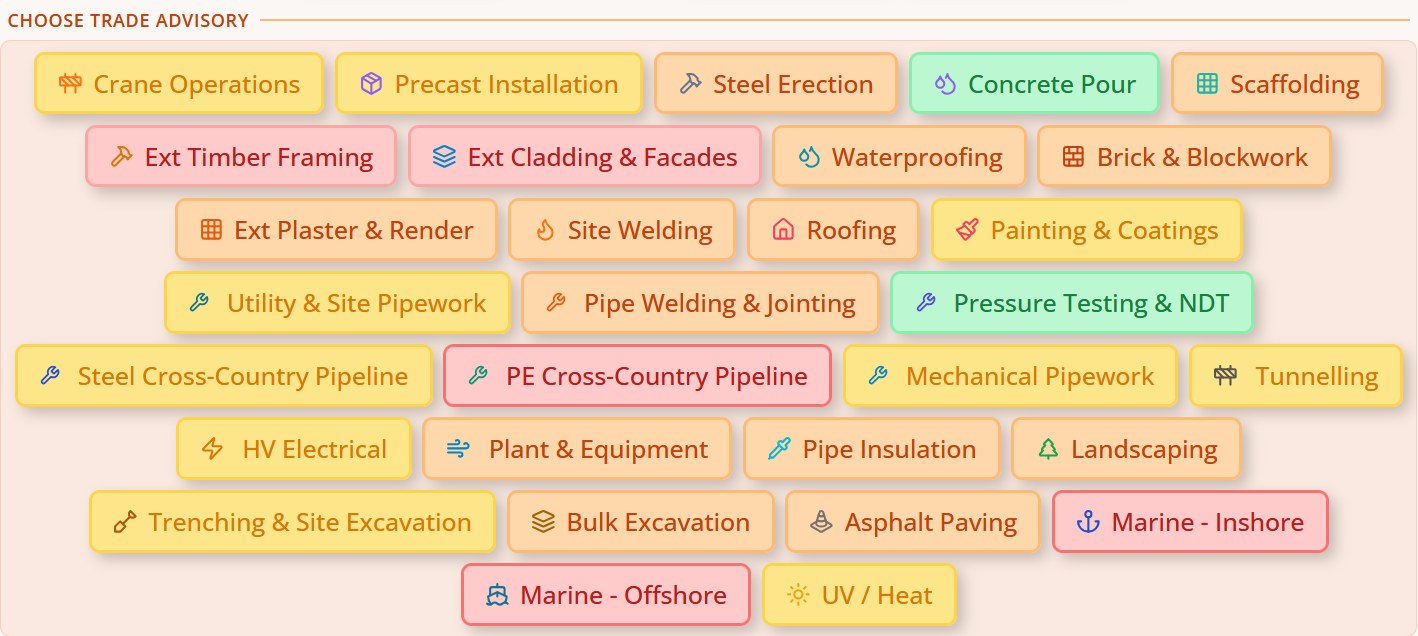
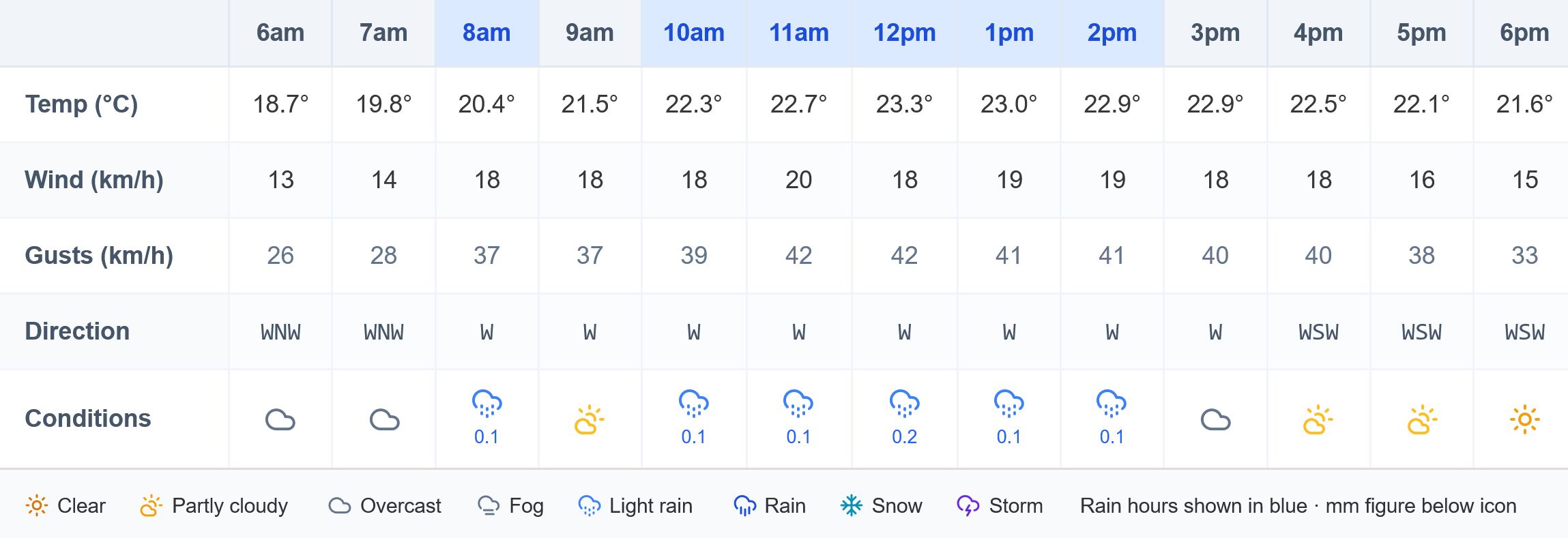
14-day forecast with trade advice across 29 operations, checked against your selected thresholds.
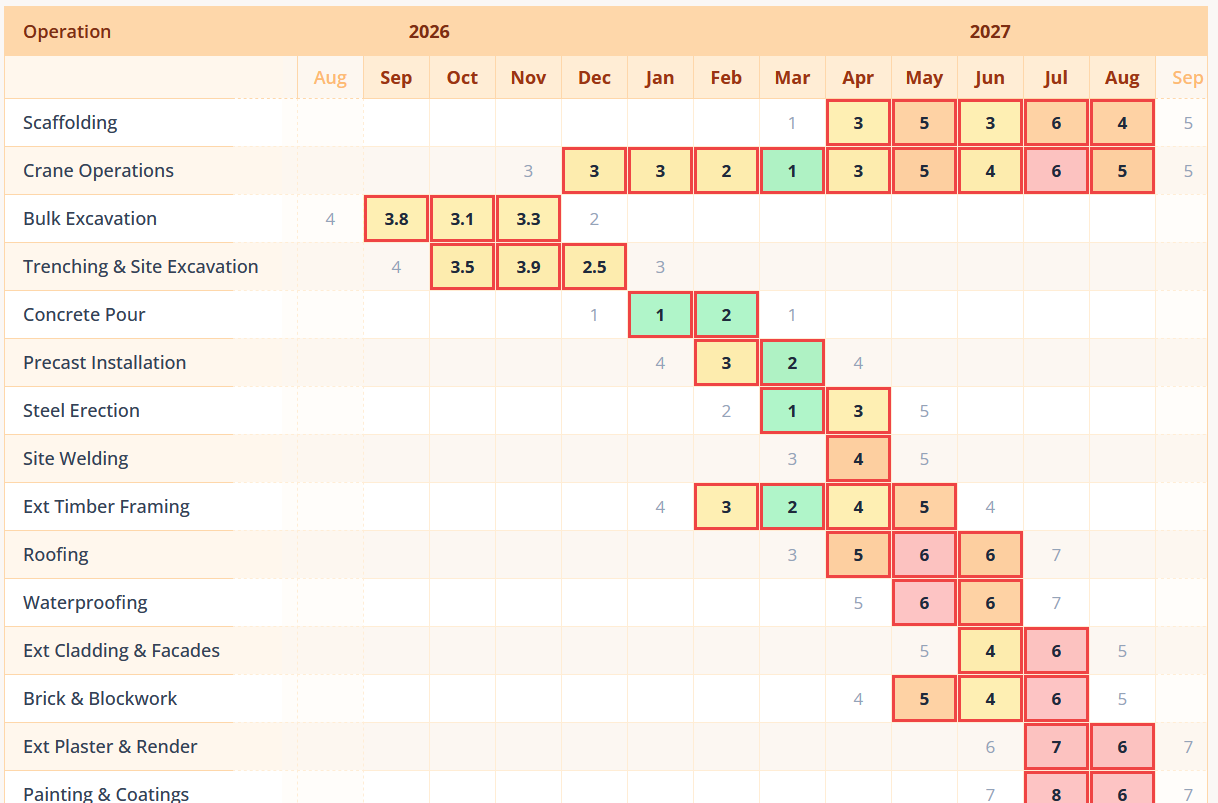
Month-by-month weather risk for each operation in your programme, based on historical records.
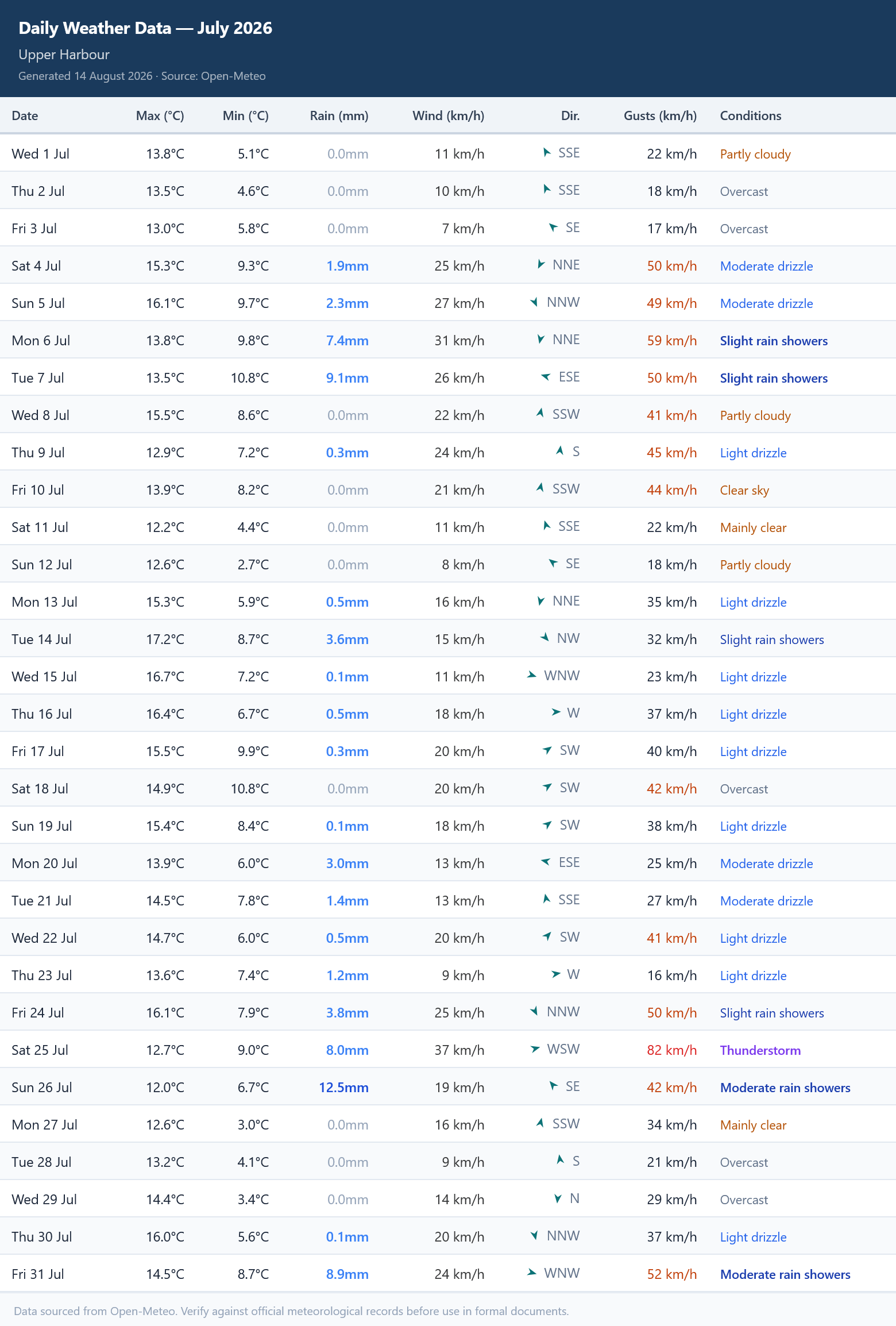
Historical daily records and multi-year benchmarks to organise supporting delay evidence.
Register with your email address and confirm it through the verification step sent to that address. No payment details are needed during the open beta. Marketing emails are optional and separate; you can use the tools without them.
The 14-day forecast, 29 trade advisories, radar, multi-site views, tender allowances, early-warning tools and historical evidence support connected decisions from daily site work through commercial review.
Review operation-specific advisory levels and drill into hourly conditions for flagged days.
Forecast and advisories →Retrieve past conditions for a selected project location and export supporting records.
Historical weather data →Compare a selected month with a five- or ten-year benchmark and organise identified events.
Time-extension evidence →Estimate average unsuitable days by project month and assigned trade operation.
Tender planning tool →Create an editable notice draft containing forecast conditions, anticipated impact and proposed mitigation.
Early-warning notices →Live site conditions
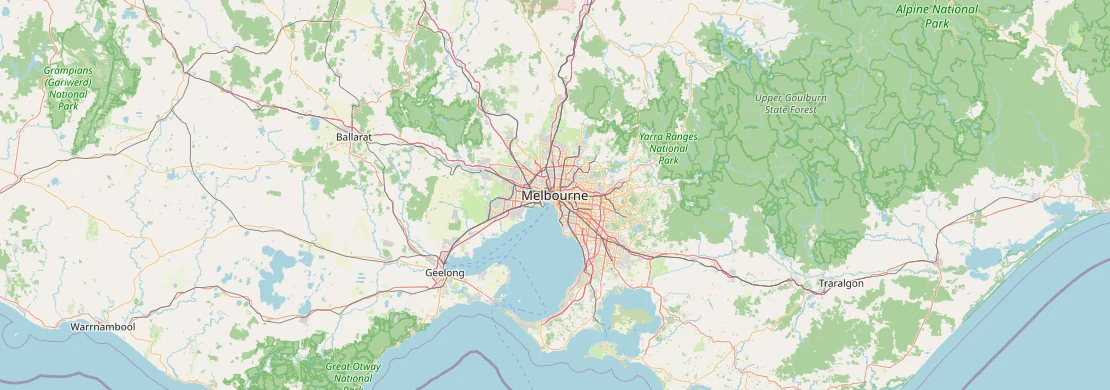
The map below shows animated wind flow and current precipitation at your approximate location using live weather data. The same overlay is available inside the platform for any project site worldwide — helping site teams understand the immediate environment around their site before committing crews.
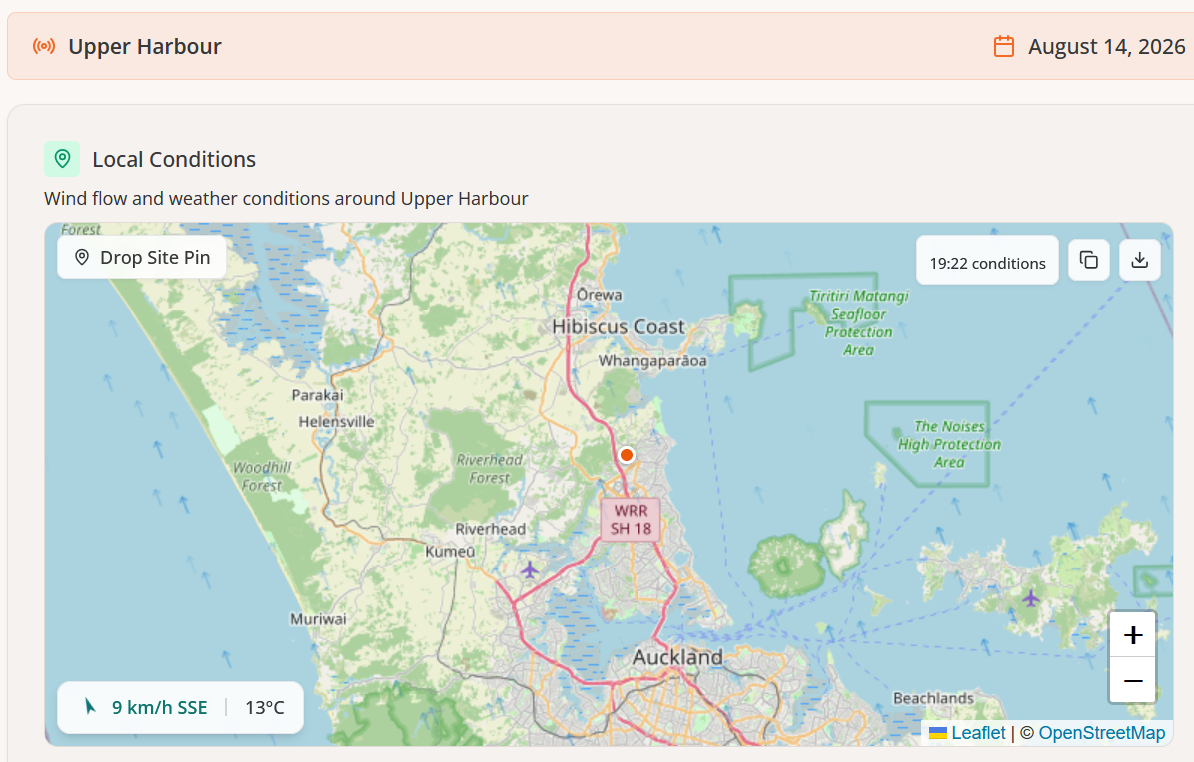
Weather: Open-Meteo · Map: OpenStreetMap · Location estimated from your IP address.
Rain radar example
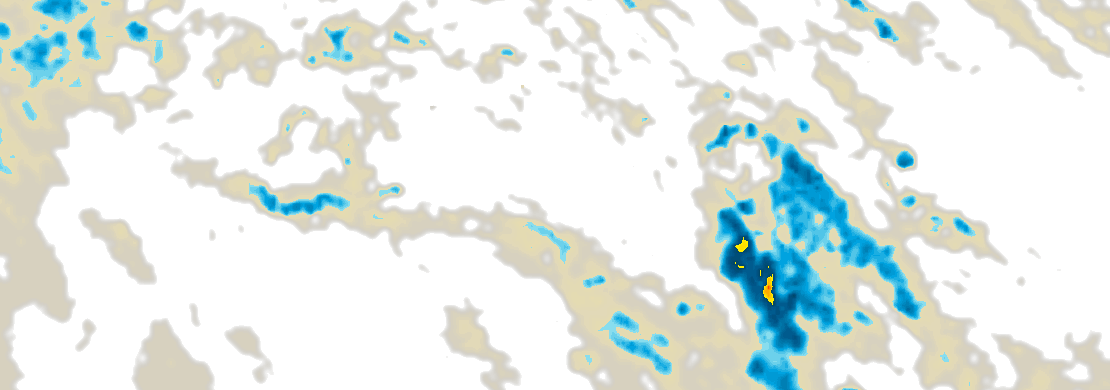
This captured Melbourne sequence demonstrates the animated radar available inside the platform for any project location. Colour intensity shows rainfall rate from light drizzle through to heavy rain.

Rain radar: RainViewer · Map: OpenStreetMap · Captured Melbourne example — the sequence remains unchanged for every visitor.
Configurable thresholds
Every project has different operational limits — defined by the crane manufacturer, the welding procedure specification, the coating product data sheet or the contract method statement. The notifications system lets you configure project-specific alert thresholds so the platform flags the conditions that matter for your work, not generic defaults.
Set the wind speed and gust limits relevant to your crane configuration, scaffold design or structural welding procedure — and receive notification before forecast conditions reach your threshold.
Configure rainfall intensity alerts for planned concrete pours, earthworks compaction, pipeline installation or coating application windows. Set humidity and dew point alerts for blasting, painting or waterproofing work.
Set minimum or maximum temperature alerts for concrete placement and curing, mortar setting, coating application or any temperature-sensitive site operation referenced in your specification.
Four stages. One platform.
Construction weather affects every role from the estimator setting the tender allowance to the QS compiling the time-extension claim months later. Every stage is connected in a single location-based workflow — so the evidence you build on day one supports the claim at the end.
Use ten years of location-specific historical data to calculate realistic unsuitable-day allowances by trade and project month. Avoid underpricing weather risk — and the P&G overruns that follow when the allowance runs out mid-programme.
Tender planning tool →Check whether tomorrow's conditions are suitable for the planned operation before the crew mobilises. Green, Amber and Red advisory grading across 29 construction trades — concrete, craneage, roofing, earthworks and more — with a 14-day outlook.
Trade advisories →Issue contractual early-warning notices before adverse conditions arrive. Maintain the contemporaneous weather records that underpin any future delay claim. A 14-day forecast benchmarked against historical norms keeps you ahead of the programme.
Early warning notices →Benchmark the affected project month against a five- or ten-year historical average, identify qualifying weather events and organise supporting evidence around the contract clause — NEC, JCT or FIDIC — for professional commercial and programme review.
Time-extension evidence tool →Construction-Weather.com connects weather forecasts with what happens next: planning trade activities, reviewing weather risks across sites, preparing early warnings and organising supporting delay evidence. It supports daily site work alongside tender planning and commercial review; outputs do not determine safety, legal entitlement or recovery.
US contractors
Working under AIA, ConsensusDocs or FAR contracts?
See how Construction Weather supports US weather delay documentation, bid planning and federal REAs.
Find your fit
Construction weather affects every discipline — but differently. Each role guide focuses on the tools and workflows that matter most for your job, with guidance tailored to how weather risk shows up in your day-to-day decisions.
Check whether today's conditions are suitable for the planned operation before the crew mobilises. Green, Amber and Red risk grading across 29 construction trades — with the weather records that protect you when the programme slips.
Site manager guide → Project managersIssue contractual early-warning notices before adverse conditions arrive. Maintain the contemporaneous weather records that underpin any future delay claim and protect the programme against LD exposure.
Project manager guide → Quantity surveyors & commercial teamsBenchmark the affected project month against five or ten years of historical data. Organise supporting time-extension evidence framed around the contract clause — NEC, JCT or FIDIC — for qualified commercial and programme review.
QS guide → Tender teams & estimatorsCalculate realistic unsuitable-day allowances by trade and project month from ten years of location-specific historical data. Price the weather risk accurately at bid stage — before the P&G overruns begin.
Tender team guide →All sectors
Weather-related delays and EOT entitlements are not unique to building construction. Civil and infrastructure contractors face identical exposure — and the same contract mechanisms to manage it.
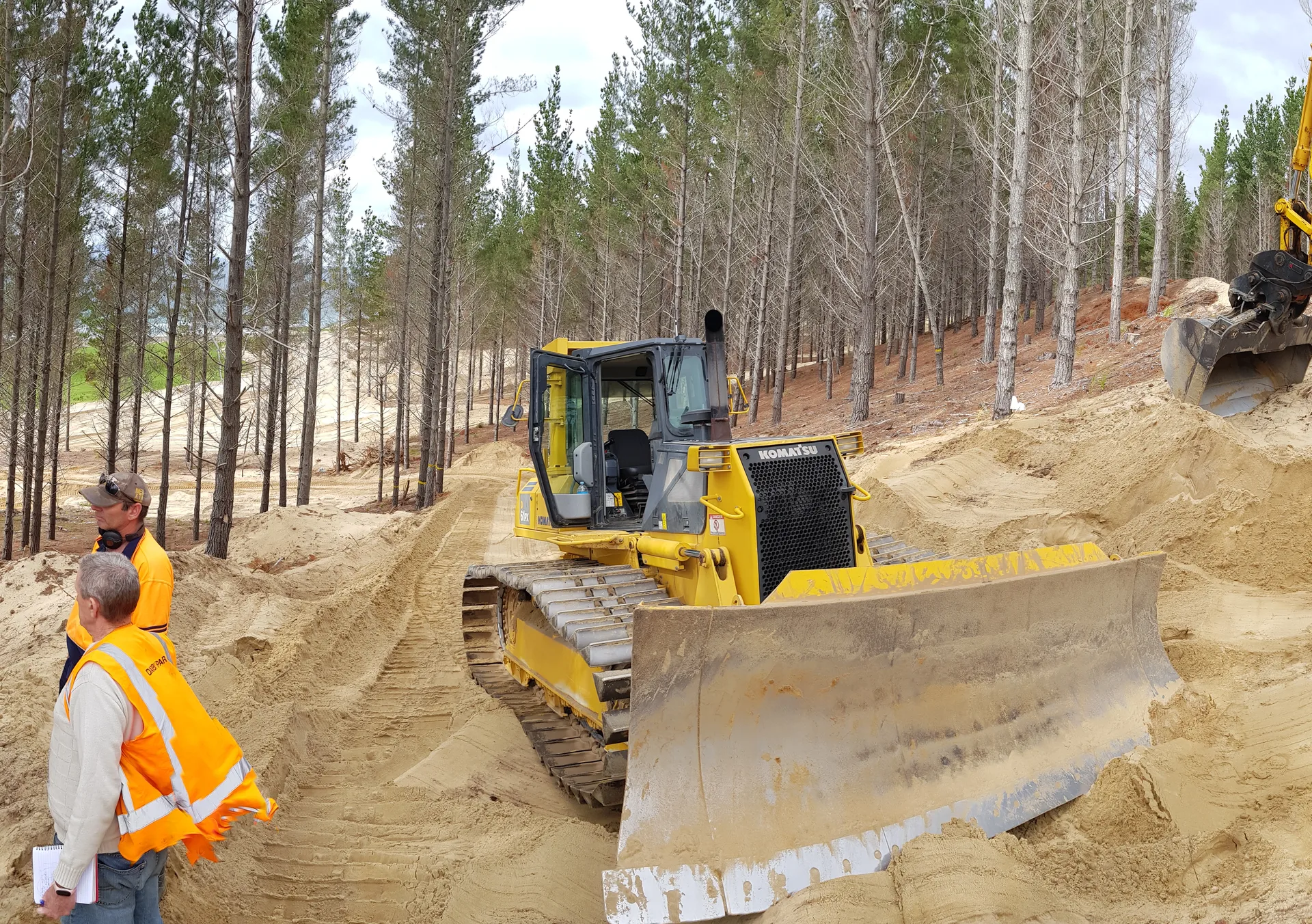
Weather-related EOT entitlements apply to civil contracts under any standard form — NEC4, FIDIC, JCT, AS 4000 or NZS 3910 — in exactly the same way as building contracts. The platform's threshold library covers earthworks, road surfacing and pipeline operations alongside standard building trades.
Live on the job
Construction Weather is opened on site every morning. Before the crew mobilises, the site manager checks whether today's conditions — wind, rain, temperature, humidity — are suitable for the planned operation. The trade advisory returns a simple Green, Amber or Red decision with the reasoning behind it.
Every site morning starts with a weather question about the planned work. Construction Weather gives a structured, trade-specific advisory against configured thresholds — not a general forecast or a safety authorisation. Green means the configured threshold is not breached; Amber means review the detail; Red means a threshold is breached and the competent site team must assess the work.
Data needs context
On-site weather stations and gridded weather datasets answer different questions. When conditions are reviewed for a time-extension claim or adjudication, the source, location, timing, siting and contract requirements all need to be clear.
The practical upshot: No weather source answers every contractual question on its own. Preserve the source and query context, then connect the weather record to site records, notices, affected activities and programme analysis before relying on it in a formal review.
Further reading
Construction weather tools span four distinct categories — field workability apps, on-site hardware stations, enterprise alert systems and contractual workflow platforms. Each solves a different problem for a different user at a different stage of the project.
A fair, category-by-category comparison — including where Construction Weather fits and where it does not.
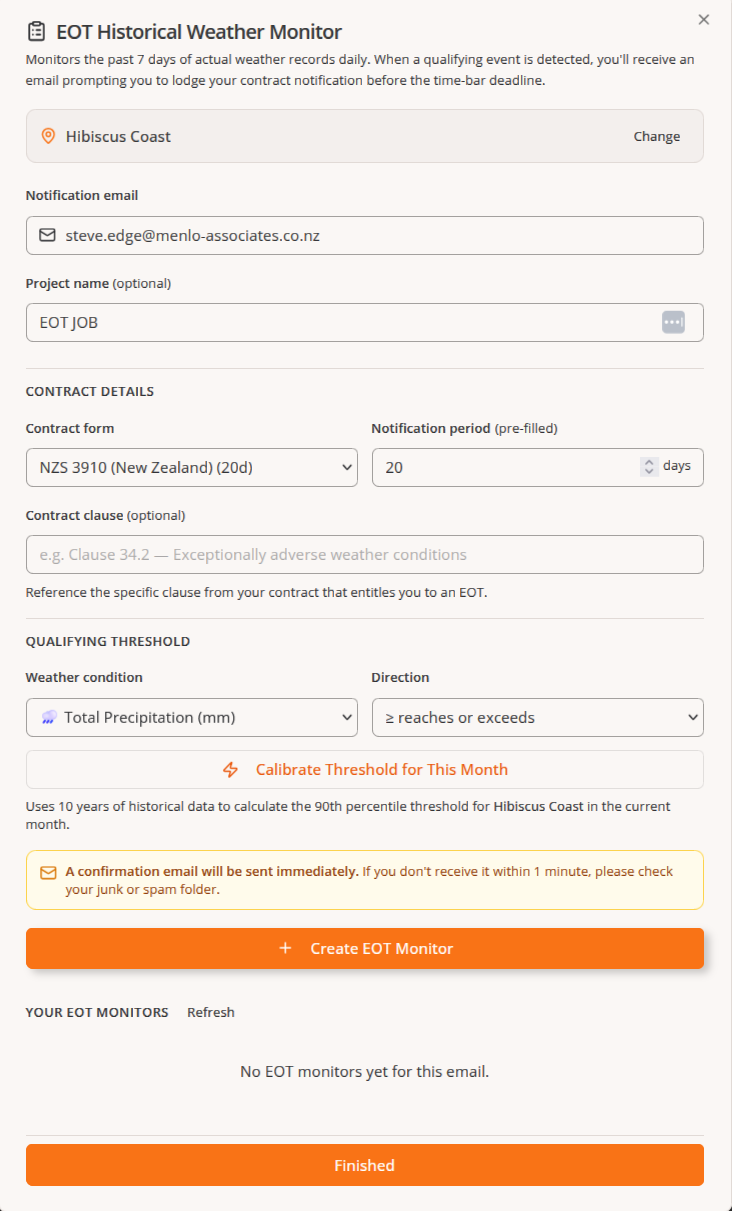
Beta access
All five tools are available now at no cost. Use Construction Weather on live projects, give feedback through the survey inside the platform and lock in a lifetime discount when Pro launches.
Access the platform in your browser. See the iOS Safari and Android browser home-screen steps.
Mobile access
Construction Weather is accessed in your browser. No native app download is required, and browser installation options can vary by device and browser.
If the option is not shown, check that the page is open in Safari rather than an in-app browser.
Menu labels and whether an install option appears depend on the browser.
Current public outputs include Excel, Word and PNG exports. There is no documented public integration API; use the platform's available exports rather than assuming an automated integration.
Common Questions
Construction Weather is designed for use on projects let under NEC3, NEC4, JCT and FIDIC contracts, where adverse weather clauses create entitlement to extension of time or additional cost. The platform's trade thresholds and time-extension evidence tools are aligned to how adverse weather is assessed under these standard forms. It is equally suitable for bespoke contracts that reference adverse or exceptional weather conditions.
The platform includes five integrated tools: a 14-day trade forecast with operation-specific Green, Amber and Red advisories; a historical weather data retrieval tool; an EOT Evidence Generator that benchmarks a project month against five or ten years of historical data; a Tender Planning tool that calculates average unsuitable days by operation and project month; and an Early Warning Notice generator that produces editable draft notices from forecast data.
A standard weather app tells you it will rain. Construction Weather helps you assess how that rain — or wind, frost, heat or humidity — may affect the specific operation you have planned. Every tool is built around construction trade operations and contract processes rather than general weather presentation. Outputs are structured for construction decision-making: operational advisories, early warning notices and time-extension evidence documents, not forecasts designed for the general public.
The platform covers 29 trade operations including crane and lifting, scaffold erection, steel erection, concrete placement, structural welding, painting and applied coatings, blasting and surface preparation, roofing and waterproofing, masonry, earthworks, road surfacing, piling, glazing and timber framing. Each trade has its own weather threshold set derived from published British Standards, NEC and JCT contract conventions, and CIOB and RICS guidance.
Yes. Construction Weather is accessed in a browser. On iPhone, open the site in Safari, select Share, choose Add to Home Screen and confirm Add. On Android, open the site in your browser, open the browser menu and choose Install app or Add to Home screen when offered. Browser menus and availability can vary.
Yes — daily site planning is one of the platform's primary uses. Before mobilising the crew, a site manager checks whether that day's conditions are suitable for the planned operation. The trade advisory returns a Green, Amber or Red status against configured thresholds for wind, rain, temperature, frost and humidity; it is not a safety authorisation. Amber days break down hourly so you can judge whether a morning window is workable before an afternoon front arrives. The 14-day outlook lets you sequence the week's work around the forecast rather than react to it afterwards.
Construction Weather uses Open-Meteo weather data: historical archive queries use ERA5 reanalysis from ECMWF, while recent and upcoming dates use forecast output. A radar view, where shown, is a separate recent precipitation observation product. These are location-based data outputs, not measurements taken at the construction site. Retain the source and query or issue time, check the contract's evidence requirements, and compare with station and project records where relevant.
Explore construction-focused forecasts, historical records and reporting tools for your next project location.